Log In
softwarebay.de
softwarebay.de

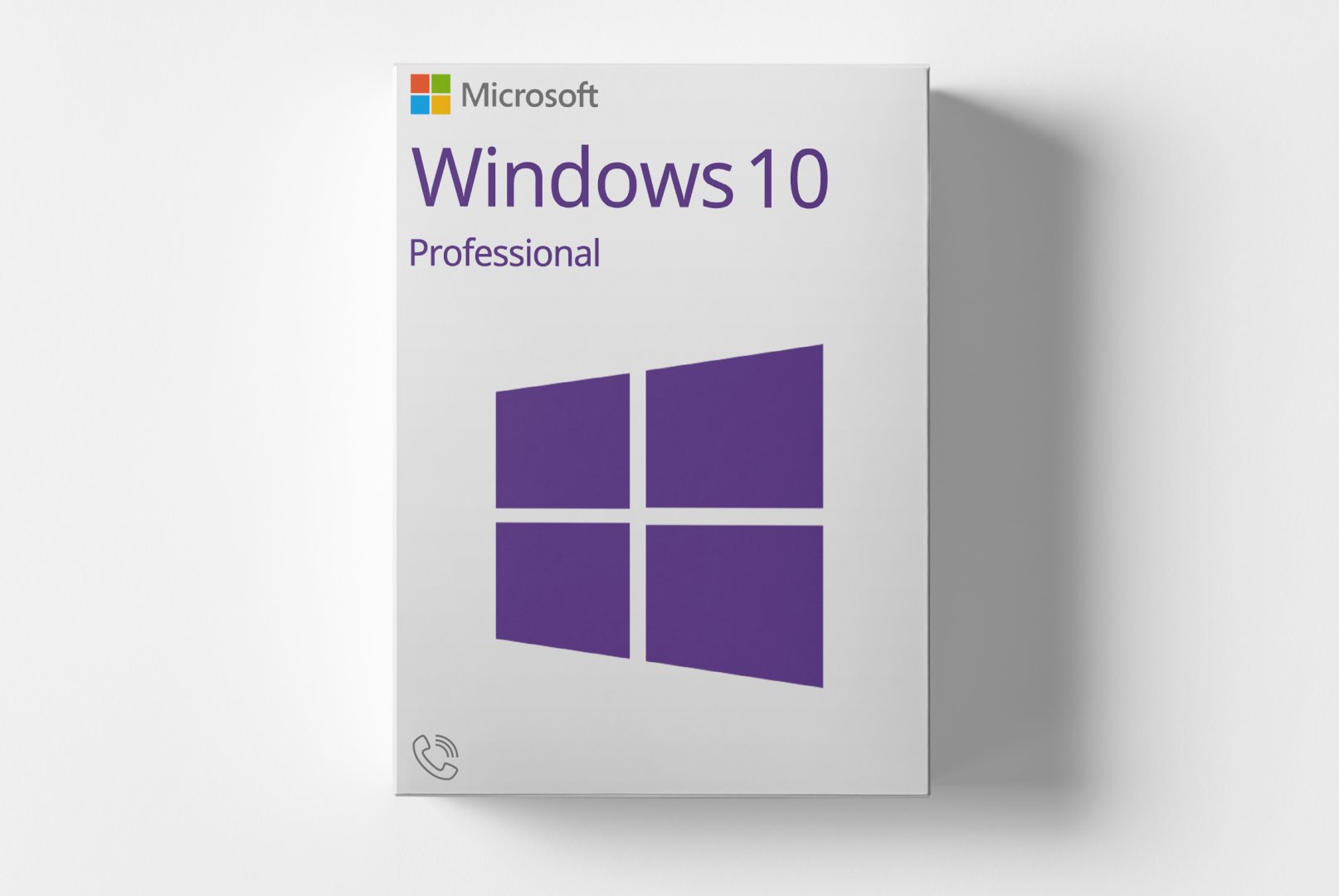
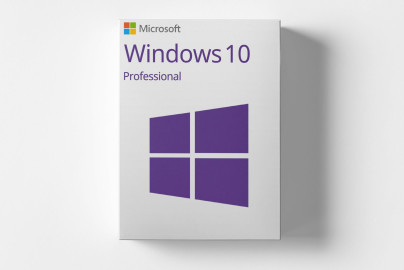
Microsoft Windows 10 Professional | Telefonaktivierung

667,06 ₴
incl. 19% VAT
Share on social media:
Currently viewed: 46 In carts: 12

Microsoft Windows 10 Professional is the powerful edition of the Windows 10 operating system tailored for businesses and professional users. This version offers enhanced features for security, management, and network integration.

With capabilities like BitLocker encryption, Remote Desktop, and centralized device management, Windows 10 Professional supports an efficient IT environment. It is ideal for companies, IT departments, and power users who require advanced security and management functionalities.

  • email Digital delivery via email and customer account after payment confirmation
  • download Software download directly from manufacturer
  • description Detailed activation instructions included
  • cloud_done Purely digital product without physical media
  • support_agent Support available for installation and activation
  • verified_user Product code accessible anytime in customer account
check_circle Can be activated in your region

Shipping Costs: Free (Digital)

Delivery Contents: Product Code & Software Download

Condition: New

Availability: In Stock (Digital Delivery)

SKU: 885370903904

Article number: 249

Type: Product Code

Brand: Microsoft

Region: GLOBALGlobal

info

Important Information about Downloads

All downloads provided here are trial versions until activated and require a valid license. Activate the software using the purchased product code as described in the "Installation & Activation" tab.

info

No downloads are currently available for this product.

description Installations- und Aktivierungsanleitung

Windows 10 Professional mit Rufus installieren

Voraussetzungen

  • Windows 10 Professional ISO - Bitte aus dem Tab "Downloads" die geeignete Version herunterladen.

  • Rufus → https://rufus.ie

  • USB-Stick (mind. 8 GB, wird gelöscht)

USB-Stick mit Rufus erstellen

  1. Rufus starten

  2. USB-Stick anschließen

  3. In Rufus einstellen:
    • Gerät: USB-Stick

    • Startart: Datenträger oder ISO-Abbild

    • Auswahl: Windows 10 Professional ISO wählen

    • Abbild-Option: Standard (ISO-Abbild)

    • Partitionsschema:
      • GPT für UEFI

      • MBR für Legacy/CSM

    • Zielsystem: automatisch passend

    • Dateisystem: NTFS

  4. Start klicken

  5. Abfrage bestätigen und warten, bis FERTIG

Installation starten

  1. PC neu starten und vom USB-Stick booten

  2. Windows-Setup startet

  3. Sprache und Tastatur wählen

  4. Jetzt installieren

  5. Produktschlüssel eingeben oder überspringen

  6. Windows 10 Professional auswählen

  7. Benutzerdefiniert wählen

  8. Ziel-Laufwerk auswählen:
    • Für Neuinstallation vorhandene Windows-Partitionen löschen

  9. Weiter klicken und Installation abschließen

Aktivierung

Aktivierung während der Installation

  1. Im Setup bei Aufforderung Produktschlüssel eingeben

  2. Alternativ „Ich habe keinen Product Key“ wählen

  3. Installation abschließen

Aktivierung nach der Installation

  1. Einstellungen öffnen

  2. Update und SicherheitAktivierung

  3. Product Key ändern wählen

  4. Gültigen Windows 10 Professional-Key eingeben

  5. Aktivierung bestätigen

Aktivierung per Kommandozeile (optional)

  1. Eingabeaufforderung als Administrator starten

  2. Produktschlüssel setzen:
    • slmgr /ipk XXXXX-XXXXX-XXXXX-XXXXX-XXXXX

  3. Aktivieren:
    • slmgr /ato

  4. Aktivierungsstatus prüfen:
    • slmgr /xpr

Telefonaktivierung

Voraussetzungen

  • Windows 10 ist installiert

  • Gültiger MAK-Produktschlüssel (Telefonaktivierung funktioniert nicht mit KMS-Keys)

Telefonaktivierung starten

  1. Windows-Taste + R drücken

  2. slui 4 eingeben und OK

Land auswählen

  1. Land/Region auswählen

  2. Weiter klicken

  3. Telefonnummer von Microsoft wird angezeigt

Installations-ID übermitteln

  1. Die angezeigte Installations-ID (mehrere Zahlenblöcke) bereithalten

  2. Diese per Telefonansage oder Sprachsystem eingeben

Bestätigungs-ID eingeben

  1. Von Microsoft erhaltene Bestätigungs-ID in die Felder A–H eingeben

  2. Windows aktivieren klicken

Aktivierung prüfen

  • slmgr /xpr

→ Meldung zeigt, ob Windows dauerhaft aktiviert ist

Hinweis

  • Internetverbindung für Online-Aktivierung erforderlich## Windows 10 Professional mit Rufus installieren

Voraussetzungen

  • Windows 10 Professional ISO - Bitte aus dem Tab "Downloads" die geeignete Version herunterladen.

  • Rufus → https://rufus.ie

  • USB-Stick (mind. 8 GB, wird gelöscht)

USB-Stick mit Rufus erstellen

  1. Rufus starten

  2. USB-Stick anschließen

  3. In Rufus einstellen:
    • Gerät: USB-Stick

    • Startart: Datenträger oder ISO-Abbild

    • Auswahl: Windows 10 Professional ISO wählen

    • Abbild-Option: Standard (ISO-Abbild)

    • Partitionsschema:
      • GPT für UEFI

      • MBR für Legacy/CSM

    • Zielsystem: automatisch passend

    • Dateisystem: NTFS

  4. Start klicken

  5. Abfrage bestätigen und warten, bis FERTIG

Installation starten

  1. PC neu starten und vom USB-Stick booten

  2. Windows-Setup startet

  3. Sprache und Tastatur wählen

  4. Jetzt installieren

  5. Produktschlüssel eingeben oder überspringen

  6. Windows 10 Professional auswählen

  7. Benutzerdefiniert wählen

  8. Ziel-Laufwerk auswählen:
    • Für Neuinstallation vorhandene Windows-Partitionen löschen

  9. Weiter klicken und Installation abschließen

Aktivierung

Aktivierung während der Installation

  1. Im Setup bei Aufforderung Produktschlüssel eingeben

  2. Alternativ „Ich habe keinen Product Key“ wählen

  3. Installation abschließen

Aktivierung nach der Installation

  1. Einstellungen öffnen

  2. Update und SicherheitAktivierung

  3. Product Key ändern wählen

  4. Gültigen Windows 10 Professional-Key eingeben

  5. Aktivierung bestätigen

Aktivierung per Kommandozeile (optional)

  1. Eingabeaufforderung als Administrator starten

  2. Produktschlüssel setzen:
    • slmgr /ipk XXXXX-XXXXX-XXXXX-XXXXX-XXXXX

  3. Aktivieren:
    • slmgr /ato

  4. Aktivierungsstatus prüfen:
    • slmgr /xpr

Telefonaktivierung

Telefonaktivierung starten

  1. Windows-Taste + R drücken

  2. slui 4 eingeben und OK

Land auswählen

  1. Land/Region auswählen

  2. Weiter klicken

  3. Telefonnummer von Microsoft wird angezeigt

Installations-ID übermitteln

  1. Die angezeigte Installations-ID (mehrere Zahlenblöcke) bereithalten

  2. Diese per Telefonansage oder Sprachsystem eingeben

Bestätigungs-ID eingeben

  1. Von Microsoft erhaltene Bestätigungs-ID in die Felder A–H eingeben

  2. Windows aktivieren klicken

Aktivierung prüfen

  • slmgr /xpr

→ Meldung zeigt, ob Windows dauerhaft aktiviert ist

Hinweis

  • Internetverbindung für Online-Aktivierung erforderlich

translate Some reviews may have been automatically translated.
rate_review

No Reviews Yet

Write a Review

star_border star_border star_border star_border star_border
Klicken Sie auf die Sterne um zu bewerten
Ihre E-Mail wird nicht veröffentlicht

Product Description

Microsoft Windows 10 Professional is the professional version of the Windows 10 operating system designed for businesses and professional users. This edition provides advanced features for security, management, and network integration compared to other versions.

Windows 10 Professional combines a modern, user-friendly interface with powerful business features such as BitLocker encryption, Remote Desktop, and the ability to join devices to an Active Directory domain. These features enable a secure and efficient IT environment for companies of all sizes.

Key Features

  • BitLocker drive encryption for enhanced data protection
  • Remote Desktop for accessing your PC remotely
  • Hyper-V for virtualization
  • Group Policy Management for centralized administration
  • Windows Update for Business for flexible update control

Who Is This Product For?

Windows 10 Professional is aimed at business customers, IT professionals, and power users who need advanced features.

  • Small and medium-sized enterprises with network environments
  • IT departments requiring centralized management
  • Freelancers and self-employed individuals with heightened security demands

Technical Details

AttributeDetails
ManufacturerMicrosoft
EditionProfessional

System Requirements

ComponentRequirement
Device TypePC (Desktop or Laptop)
CPU1 GHz or faster processor or SoC
RAM1 GB for 32-bit or 2 GB for 64-bit
Storage16 GB for 32-bit or 20 GB for 64-bit
GraphicsDirectX 9 or later with WDDM 1.0 driver
Display800 x 600 pixels
NoteNot suitable for Android devices, Mac, iOS, or other non-Windows systems

Delivery and Activation

  • Product Code Access: The digital product code will be sent via email after payment and is also accessible in your customer account (or guest portal).
  • Download: Software download link will be provided after purchase.
  • Activation Guide: A detailed step-by-step guide for activation will be sent via email and is available in your customer account/guest portal.
  • Included: Product key, download link, activation guide.
  • Note: Purely digital product with no physical media (no USB stick, no DVD).

Frequently Asked Questions

How do I receive my product code?
The product code will be sent via email after payment and is also accessible in your customer account (or guest portal for guests). The activation guide and download link are also available there.

How does activation work?
Follow the provided step-by-step guide. You will download the software and activate it with the received product key.

Note: softwarebay.de operates as an independent retailer for software products. This specialization allows us to offer original activation keys at particularly attractive rates.
Live-Support verfügbar
Veni Aria E.
Veni Aria E.
check_circle Brasov
Hallo! 👋 Ich bin Veni Aria. Haben Sie Fragen zu unseren Produkten oder benötigen Sie Hilfe?
chat_bubble