


Using Two Monitors with Apple Laptops
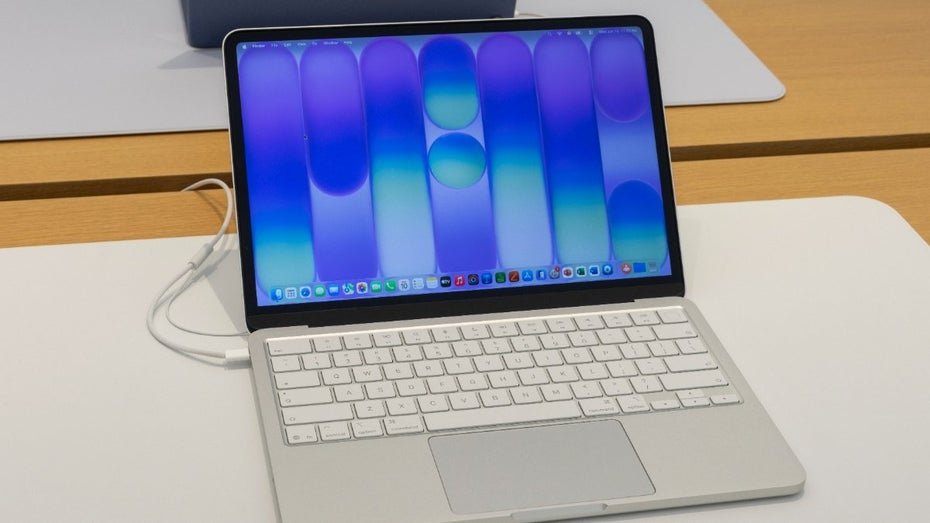
Apple laptops, including older MacBook models and the new Neo model, have the limitation of supporting only one external display. This restriction poses a challenge for many users who require more screen real estate. To overcome this hurdle, various gadgets and solutions are available that allow multiple monitors to be connected. A commonly used gadget is the USB-C display hub, which enables the connection of multiple monitors through a single USB-C port. These hubs are capable of distributing video output to multiple displays, allowing for the simultaneous use of two or more monitors.
Users report easy installation and stable connections, which can significantly enhance productivity. Another popular accessory is the HDMI adapter specifically designed for MacBooks. These adapters can be connected to the USB-C port of the MacBook and provide additional HDMI ports for external monitors. The use of such adapters has proven effective in circumventing Apple's limitation and expanding screen space. Utilizing software solutions is another way to optimize screen usage.
Programs like DisplayFusion or BetterSnapTool enable improved management of windows across multiple screens. These software solutions offer features such as window arrangement, custom layout creation, and easy switching between different monitors. Some users also have the option to utilize virtual desktops to manage screen space more efficiently. macOS provides the functionality to create multiple desktops, allowing users to organize different applications on separate virtual screens. This feature can be used in conjunction with external monitors to boost productivity.
The compatibility of gadgets and software solutions varies depending on the MacBook model and macOS version. Users should ensure that the selected products are compatible with their specific model. The latest macOS versions often provide improved support for external displays, making the use of multiple monitors easier. The demand for solutions to use multiple monitors with Apple laptops has increased in recent years. Many users, especially those working from home, are looking for ways to optimize their work environment.
A combination of hardware and software solutions has proven effective in overcoming the limitations of Apple laptops. The use of two monitors can increase productivity by up to 30%, as studies show. This figure highlights how important expanded screen space is for many professionals. Therefore, the implementation of gadgets and software solutions is a worthwhile investment for many users. The development of new technologies and accessories is expected to continue to grow to meet user needs.
Manufacturers are continuously working on innovative solutions that facilitate the use of multiple monitors with Apple laptops. The demand for such products is expected to rise in the coming years. The next generation of USB-C standards could offer additional opportunities to overcome the limitations of current MacBook models. Experts anticipate that these developments will further simplify the use of external displays. The introduction of new technologies will be of great interest to many users.



💬 Comentarii (0)
Inca nu exista comentarii. Fii primul!