


Optimization of GTA 6 Downloads on PS5 and Xbox
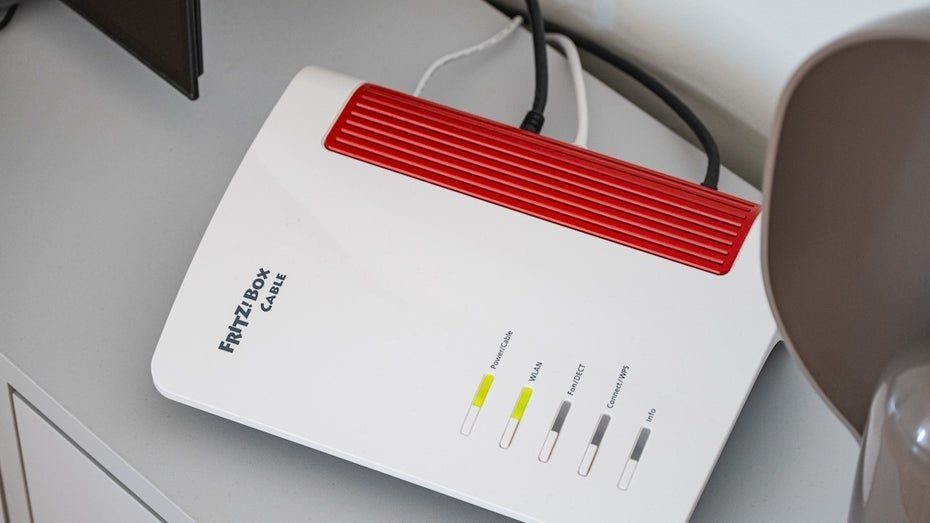
The preload of GTA 6 has begun, and many players are reporting slow download speeds. To reduce loading times, specific settings can be adjusted on the Fritzbox router. These adjustments aim to prioritize bandwidth for the consoles, thereby increasing download speeds. A first step towards optimization is to enable the QoS (Quality of Service) settings on the Fritzbox. This feature allows certain devices on the network to be assigned higher priority.
Players should ensure that their PS5 or Xbox Series X is listed among the prioritized devices to guarantee a faster connection. Additionally, using a LAN cable instead of Wi-Fi can significantly enhance download speeds. Wired connections typically offer more stable and faster speeds, which is particularly beneficial during the preload of large games like GTA 6. Players should check if their consoles can be directly connected to the router. Another aspect is to verify the firmware version of the Fritzbox.
An outdated firmware can impair the router's performance. Users should regularly check for updates and ensure that they have the latest version installed to benefit from improvements and bug fixes. The network configuration can also be optimized by enabling IPv6 support. Many Internet providers now support IPv6, which can lead to better network performance. Players should check in the Fritzbox network settings whether IPv6 is enabled and adjust the settings if necessary.
For PS5 users, there are additional options to improve download speeds. The console allows downloads to continue in the background while other applications are being used. Players should ensure that this feature is enabled to maximize download speeds while gaming. Xbox Series X users can also benefit from the Smart Delivery feature, which ensures that the best possible version of a game is downloaded. This can optimize download times, especially when multiple versions of a game are available.
The console should be configured to automatically download the latest updates and content. Another important point is monitoring internet speed. Players should regularly test their connection speed to ensure they are receiving the bandwidth they are paying for. Tools like Speedtest can help check the current speed and identify potential issues. The use of VPN services can also affect download speeds in some cases.
While VPNs often provide more security, they can also slow down the connection. Players should test whether using a VPN improves or worsens their download speed. Combining these measures can significantly enhance the download speed of GTA 6 on PS5 and Xbox Series X. Players should experiment with the various options and adjust them to achieve the best results. The anticipation for the game is high, and a fast download speed can greatly enhance the gaming experience.






💬 Comments (0)
No comments yet. Be the first to comment!